Claude AI Online Training in Hyderabad
Learn to use Claude Sonnet for real work — prompt engineering, automating daily tasks, Claude Code, the Claude API, MCP and AI agents — in live online classes, ending with a workflow from your own job.
G4.7★★★★★on Google 50+ students trained- Duration
- 40 Days
- Mode
- Live Online
- Batches
- Weekday & Weekend
- Hands-on
- 3 capstone projects
Quick Enquiry
Get a free demo session today!

About Claude AI Online Training
Most people use AI assistants for quick questions and stop there. The real gains come when you use them for the work you repeat every week — reports, emails, data clean-up, code reviews, troubleshooting — and then automate it. Our Claude AI training in Hyderabad teaches you to do that with Claude Sonnet, Anthropic's model for professional work, in live online classes you can join from anywhere.
Course highlights
- Automate your daily workEmails, reports, Excel clean-up, document summaries and presentations, done in minutes with reusable prompts.
- Claude Code and the APIAgentic coding from the terminal and IDE, calling Claude from Python, tool use and cost control.
- Build AI agentsAgents with the Claude Agent SDK and MCP that connect to your tools and run real workflows.
- Your own job as the projectThe final project automates a workflow from your own job, with the time saved measured.
Skills you’ll learn
What You Will Learn
The course goes in three steps. First you learn to use Claude well: chats with files, Projects, Artifacts, research, and prompt engineering that gives reliable results. Then you apply it to daily work — emails, reports, Excel, documents, presentations — and to technical work such as code, scripts, pipelines, test cases and documentation.
Finally you go beyond the chat window: Claude Code for agentic coding, the Claude API from Python, tool use, MCP to connect Claude to apps like Gmail, Google Drive, Slack and Jira, and AI agents built with the Claude Agent SDK.
Who Gets the Most From It
This is not only a developer course. Managers, analysts, testers, HR and finance professionals use the first half daily. Developers, DevOps and data engineers get the most from the second half on Claude Code, the API and agents.
Who Should Join This Claude AI Course?
The course starts from the basics of Gen AI and adds technical depth step by step, so it works for both technical and non-technical professionals.
Working Professionals
Anyone who spends hours on emails, reports, spreadsheets and documents and wants that time back.
Developers and Testers
Write, review and debug code with Claude, and use Claude Code on real projects.
DevOps and Cloud Engineers
Scripts, Dockerfiles, YAML pipelines, Terraform and troubleshooting, plus agents for routine ops tasks.
Students and Job Seekers
Add practical AI skills, AI projects and a stronger resume and LinkedIn profile.
Prerequisites for Claude AI Training
There are no strict prerequisites. These help:
- Comfort with everyday computer work: email, Excel and documents
- For the Claude Code, API and agents modules, basic Python or any programming language helps
- A laptop with a stable internet connection
- A Claude account (we show you how to set it up in the first class)
Claude AI Course Syllabus
The 40-day syllabus runs in 11 modules: an introduction to Gen AI and Claude, working with Claude Sonnet, prompt engineering, automating daily tasks, professional workflow automation, Claude Code and developer tools, the Claude API and integrations, building AI agents, end-to-end workflow automation, career growth with Claude, and three capstone projects.
- What is AI, ML, Gen AI and Large Language Models
- How LLMs work: tokens, context window, reasoning
- Anthropic and the Claude model family (Opus, Sonnet, Haiku) and when to use each
- Why Claude Sonnet for professional work
- Setting up Claude: web, desktop and mobile apps
- Chats, file uploads (PDF, Word, Excel, images) and analysis
- Projects: organizing work with shared files and instructions
- Artifacts: documents, web pages, dashboards and small tools
- Web search, research and summarizing sources
- Memory and personal preferences
- Responsible use: data privacy, verifying output, limitations
- Anatomy of a good prompt: role, context, task, format
- Clear instructions, examples and constraints
- Step-by-step reasoning and breaking big tasks into steps
- Structured output: tables, JSON, XML tags
- Reusable prompt templates for daily work
- Fixing weak prompts and improving results
- Emails, reports and meeting notes in minutes
- Excel and data work: cleaning data, formulas, charts and analysis
- Converting and summarizing long documents
- Presentations and documents from rough notes
- Research, comparisons and decision support
- Personal productivity: planning, to-dos and learning plans
- Identifying repetitive workflows in your job
- Coding with Claude: writing, reviewing, debugging and explaining code
- DevOps and cloud tasks: scripts, Dockerfiles, YAML pipelines, Terraform
- Testing: test cases, test data and bug reports
- Documentation, SOPs and runbooks
- Skills: packaging a repeatable workflow so Claude follows it every time
- Claude Code: agentic coding from the terminal and IDE
- Building, fixing and refactoring projects with Claude Code
- Git workflows, code reviews and pull requests with AI
- Best practices for working safely in real codebases
- Claude API basics: API keys, Console, messages and models
- Calling Claude from Python
- System prompts, parameters and handling responses
- Tool use (function calling)
- Cost and token management
- Connecting Claude to apps like Gmail, Google Drive, Slack and Jira through connectors and MCP
- What an AI agent is: goal, tools, memory and loop
- Agent design patterns: planner, worker and reviewer
- Building agents with the Claude Agent SDK
- Model Context Protocol (MCP): connecting agents to your tools and data
- Multi-step and multi-agent workflows
- Testing, guardrails and human approval steps
- Mapping a complete business or career workflow
- Scheduled and recurring automations
- Combining Claude with Python scripts, APIs and no-code tools (n8n, Zapier, Make)
- Monitoring, error handling and improving automations over time
- Measuring time saved and productivity gains
- AI skills employers look for and roles like AI engineer, AI automation specialist and AI DevOps engineer
- Upgrading your resume, LinkedIn and portfolio with Claude
- Showcasing AI projects to get a higher package
- Interview preparation and mock interviews with Claude
- Continuous learning: staying current with new Claude features
- 1. Daily task automation: Automate daily problematic tasks such as emails, reports, Excel data cleanup and document summaries using Claude Sonnet, Projects and reusable prompt templates
- 2. AI agent for a professional workflow: Build an AI agent with Claude Sonnet (Agent SDK and MCP) that runs a real job workflow end to end, for example a code review or DevOps troubleshooting agent
- 3. Full career workflow automation: Automate a complete workflow from the student's own job with Claude agents, connectors and scheduled runs, measure the time saved, and present it as the certification project
Claude AI Capstone Projects
The projects grow from simple automation to a complete workflow from your own job.
Daily Task Automation
Automate everyday tasks such as emails, reports, Excel data clean-up and document summaries using Claude Sonnet, Projects and reusable prompt templates.
AI Agent for a Professional Workflow
Build an agent with the Claude Agent SDK and MCP that runs a real job workflow end to end, such as a code review or DevOps troubleshooting agent.
Your Own Career Workflow
Automate a complete workflow from your own job with Claude agents, connectors and scheduled runs, measure the time saved, and present it as your certification project.
Prompt Library You Keep
A set of tested prompt templates and Skills for your own role that you keep using after the course.
Using Claude Responsibly
Knowing when not to trust the output is part of the skill. Throughout the course we cover data privacy, what not to paste into any AI tool, how to verify facts and numbers, and how to add review and approval steps to automations and agents so a person stays in control of anything important.
Career Opportunities After Claude AI Training
AI skills help in your current role and open new ones. Roles where these skills are asked for:
The career module helps you update your resume, LinkedIn and portfolio with your AI projects and prepare for interviews with Claude. Our placement team then supports you with mock interviews and referrals.
Claude AI Course Fee and Batches
The Claude AI course fee depends on the batch type and current offers. Call us on +91 90327 34343 or message us on WhatsApp for the exact fee and the next batch date. EMI is available.
All batches are live online with weekday and weekend options. Every class is recorded, so you can catch up if you miss one, and students joining from the USA, UK or Canada get time slots that suit their time zone.
Why Learn Claude AI at VR IT Solutions?
Built Around Your Work
The final project uses a workflow from your own job, so what you build is useful on Monday morning.
From Chat to Agents
Most courses stop at prompting. This one goes on to Claude Code, the API, MCP and agents.
Live Online With Recordings
Live classes, recordings of every session, and backup classes when needed.
Career and Job Support
Resume and LinkedIn updates, mock interviews and placement assistance after the course.
From your first class to your first project at work
We stay with you after the course ends — through interviews, placement, and your first months on the job.
- Free demo classMeet the trainer and see how classes run before you pay.
- Live trainingLive online classes, with hands-on practice every session.
- Real-time projectWork through a real implementation scenario from start to finish.
- Course certificateGet your course completion certificate from VR IT Solutions.
- Resume & mock interviewsResume review and practice interviews with experienced professionals.
- Placement assistanceInterview referrals and guidance until you get placed.
- Job supportStuck on a task in your new job? Our trainers help you solve it.
What our students say on Google
G4.7★★★★★See all reviews on GoogleHi I'm Dasararh
I have Join VRIT Solutions to transform my future. VRIT is the right place to sharpen your Salesforce training skills while gaining cutting-edge experience through real time examples and live projects. Faculty covered in real time examples and practical oriented I joined this course in 2025 and now working in a reputed healthcare company.I would strongly recommended to chose VR IT Solutions for Salesforce online training .
Thanks again for VR IT .
One of the top institutes for training, with faculty member Ashok Kumar being highly knowledgeable in the subject.
VR IT Solutions is one of the best training center for Clinical SAS in Hyderabad.I recently completed SAS training at VR IT Solutions, and it was an excellent experience...
The course covered Base SAS, SQL, Macros, and SDTM/ADaM mapping basics, especially for advanced topics like SAS Macros, making complex concepts easy to understand. which are extremely valuable for anyone aiming to build a career in Clinical SAS programming.
I highly recommend VR IT Solutions to anyone looking to build or advance their SAS career.
Preparing for Claude AI interviews?
Read free interview questions and real-time scenarios with answers. Our students get all 6+ in the Job Ready Hub.
Batch timings
Pick a slot that fits around college or work. New batches start every month.
Book your slot- Morning7 – 9 AM
- Afternoon12 – 2 PM
- Evening6 – 8 PM
- WeekendSat & Sun
- Fast trackOn request
- One-to-one training
- Backup classes
- Free resume preparation
- Mock interviews
- Job support
Explore more courses
View all courses Microsoft Azure AI Training
 Generative AI Training
 Snowflake Training
 Workday Training
 Salesforce Training
 Machine Learning With Python
 Hadoop Training
 AWS With DevOps Training
 DataScience Training
 Python With AI Training
 Python with AWS Training
 Mulesoft Online Training
 Informatica MDM Training
 Servicenow Training
 Pega Training
 Azure DevOps Training
 Full Stack Training
 EDI Training
 Multi-Cloud DevOps Training
 GitOps, MLOps, AIOps & FinOps Training
 GCP Data Engineer Training
 Google Cloud Training
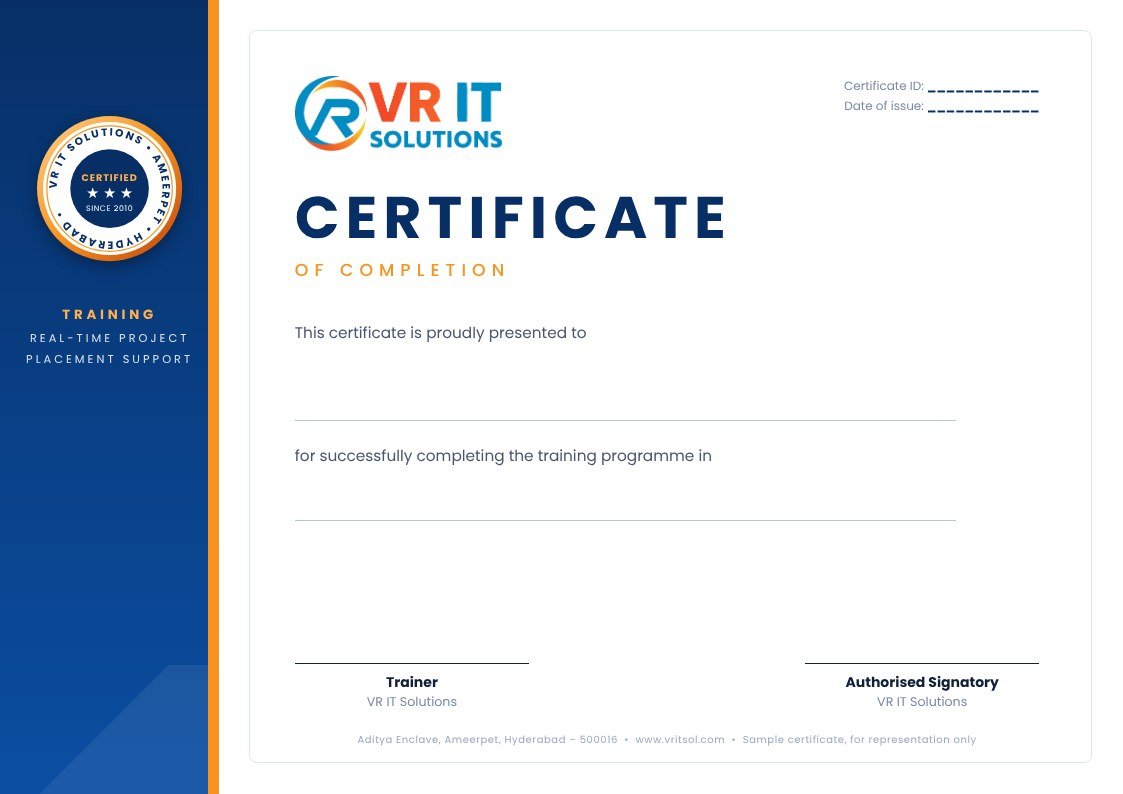
Get your course completion certificate
- Issued by VR IT Solutions when you complete the course and the real-time project
- Every certificate has its own certificate ID
- Add it to your resume and LinkedIn profile
Claude AI Online Training in USA, UK & Canada
Looking for Claude AI online training from the USA, UK or Canada? Join our live online batches from anywhere — classes run in time slots that suit your time zone, every session is recorded for revision, and you get the same real-time project, certificate and placement support as our Hyderabad students.
- USAEST & PST evening slots
- UKGMT / BST slots
- CanadaEST & CST slots
- WeekendSat & Sun, all time zones

Visit our Ameerpet centre
- 506/A, Aditya Enclave, Nilagiri Block, 5th Floor, Ameerpet, Hyderabad – 500016
- Monday to Saturday, 9 AM – 7 PM
- +91 90327 34343
- info@vritsol.com
Claude AI Training FAQs | VR IT Solutions
Claude is a family of AI models made by Anthropic. Claude Sonnet is the model built for professional work such as writing, analysis, coding and running agents. This course teaches you to use it for real work.
It is live online only, with weekday and weekend batches. Every session is recorded.
The course runs for 40 days in 11 modules, including three capstone projects.
No for the first half, which covers prompting and automating daily work. The Claude Code, API and agents modules are easier with basic Python, and we cover what you need.
Model Context Protocol (MCP) is a standard way to connect Claude to your tools and data, such as Gmail, Google Drive, Slack or Jira. The course covers using connectors and MCP in agents.
Yes. You automate daily tasks, build an AI agent for a professional workflow, and automate a complete workflow from your own job as the final project.
Absolutely. VR IT Solutions offers free demo sessions for all courses. You can attend a live class, interact with the trainer, and get a feel for the training quality before making any commitment. Just reach out to our team and we will schedule one for you.
We provide end-to-end placement assistance — from building a job-ready resume to conducting mock interviews with industry experts. Our team actively shares job openings, refers students to hiring companies, and supports you until you land your first role.
Yes. Every trainer at VR IT Solutions has between 8 and 13 years of hands-on industry experience. They have worked on real enterprise projects and bring that practical knowledge directly into the classroom, which makes a significant difference when you face real job interviews.
Course Training
Industry-certified · Real-time projects · 100% Placement Support
Call us: +91-9032734343